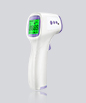
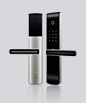
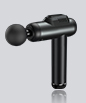
1、 Basic functions of intelligent communication fat scale module
1. One family account can add 8 family members;
2. Bluetooth can quickly transmit measurement data to users through Bluetooth 5.0 and upload it to the corresponding member's information database;
3. Measure and record 30 physical health indicators, weekly, monthly, and annual reports, and personalized physical health analysis recommendations to more scientifically reflect the degree of obesity;
4. Can set target weight, weight reminder, and theme switching;
5. Password can be set to ensure user privacy.
2、 Overview of Intelligent Communication Fat Scale Module
1. Using chip: to be determined
2. Power on mode: gravity power on or power on power on
3. Display accuracy: 1500 points;
4. Calibration method: 3-point calibration, with calibration positions of 50Kg, 100kg, and 150Kg;
5. Memory function: Memory weight: 0.3Kg; Memory time: Long term memory;
6. Low voltage detection: power on detection of low voltage, one point detection;
7. Shutdown time: After the heavy object stabilizes, it will automatically shut down within 8 ± 2 seconds;
8. Power consumption: With a 2K sensor, the operating current is less than 15mA; the average shutdown current is less than 25uA;
9. Low voltage prompt: Shut down after displaying "Lo" for 4 seconds;
10. Backlight control output: none
11. 24LC02 storage: available
12. Clock function: None
13. Temperature measurement: none
14. Buzzer: None
4、 Basic functions of intelligent communication fat scale module
1. Weight parameters
1) Weighing unit: Kg
2) Maximum weight: 152.0 Kg
3) Lifting weight (minimum displayed weight, zero tracking range): 5.0 Kg ± 0.1 Kg
4) Zero range: 6.0 Kg
2. System functions
1) E2PROM (24LC02) detection: Check for 2402 when starting up. If there is no such parameter, the E2PROM error screen "ErrE" will be displayed;
2) Calibration detection: detects whether it has entered calibration mode, usually used before leaving the factory;
3) Low voltage detection during startup: When the voltage drops to 2.4V ± 0.2V, a low voltage symbol is displayed;
4) Display weight limit: Display maximum weight limit=maximum limit+10g, if overloaded, display overload screen "O-Ld";
5) If the weight is below 0, it will display "----";
6) When there is no button operation and the weight has not changed for a certain period of time, it will automatically enter sleep mode.
3. Key operation
1) On/Off button: Power on/off switch
When the system is in the shutdown state, press this button to display the LCD fully. After 3 seconds, it will enter the weighing mode and display the preferred unit "Kg" and weight "0.000"; Press this button to shut down while in the power on state, and it will not work when calibrating.
2) Unit key: Conversion of weight units
Each time this key is pressed, the weight units will cycle through the conversion process in the following order: Kg ->Lb ->oz ->Kg.
3) Calibration key (CAL): Enter calibration mode
Long press the On/Off key while quickly pressing the Unit key 4 times in succession to enter calibration mode.
-
|